GAP
HDR
Case study

Build Anything desktop
GAP
DIV
Anyone can build
The Cost of Assuming Your User Is Technical
Build Anything AI is positioned as a tool that lets users quickly generate and publish apps using AI. While powerful, the product currently assumes a highly technical user and over-indexes on inputs, configuration, and conventions familiar to builders. This case study highlights UX opportunities to improve clarity, accessibility, and momentum, especially for non-technical creators.
Key Observations & Opportunities
- Prioritize output over input (i.e. reducing clicks to get to output to reduce drop-off). The result is the product.
- Design for non-technical users using sliders, presets, and visual controls.
- Clarify integrations with goal-based recommendations to reduce cognitive load.
- Remove early friction. No ratings or interruptions before value is felt.
- Align CTAs with user readiness, especially publishing actions.
GAP
DIV
Information Overload
Before: Project Dashboard
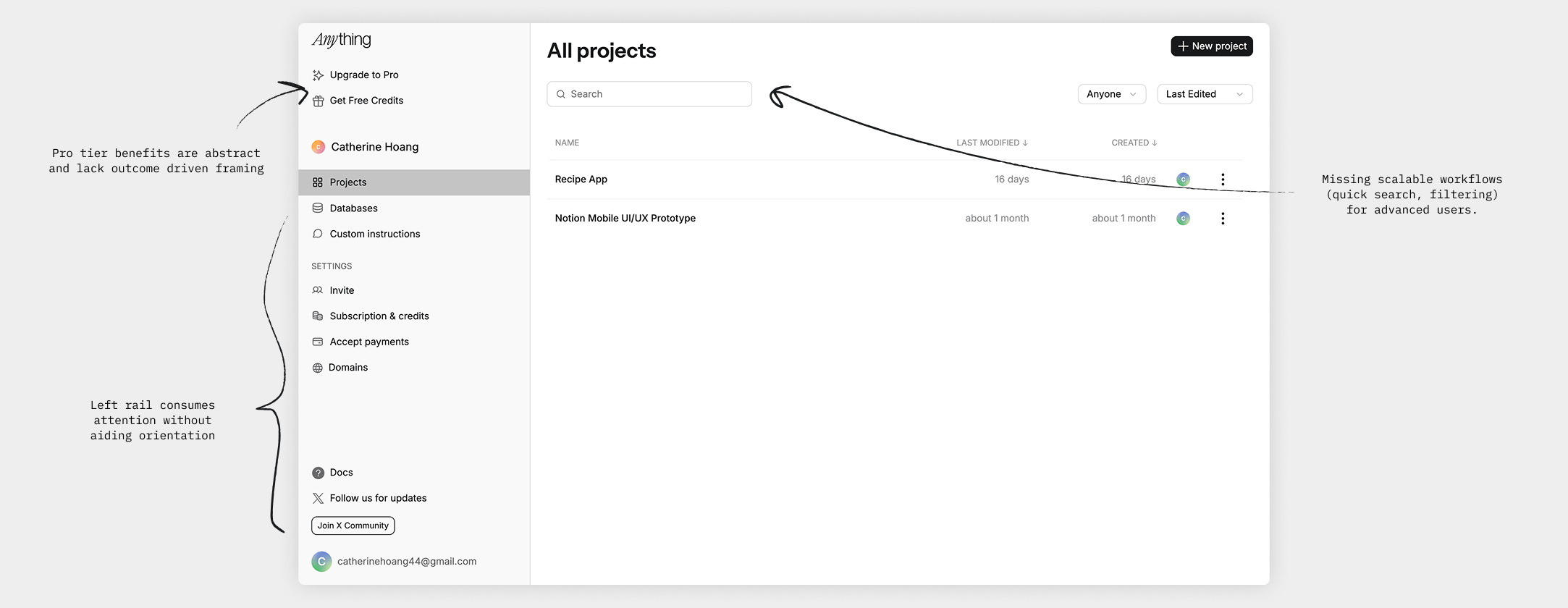
Before state of project dashboardImage
GAP
DIV
Information Hierarchy
After: Project Dashboard
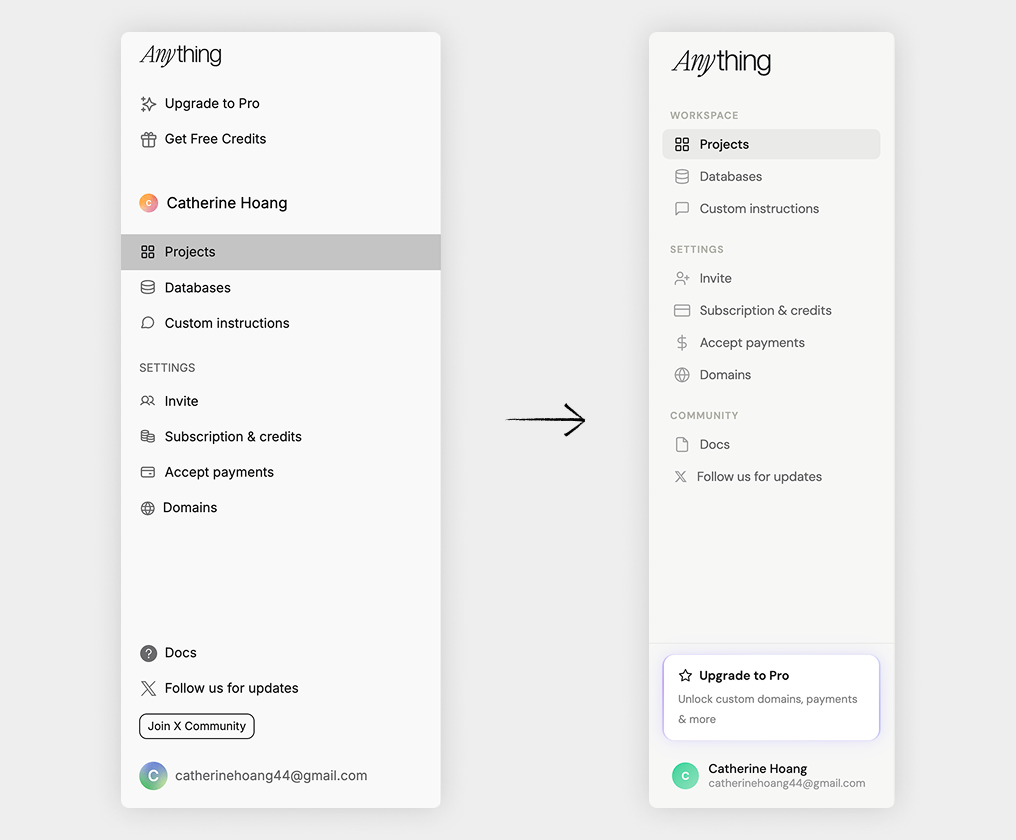
Using groups and contrast to signal prioritiesImage
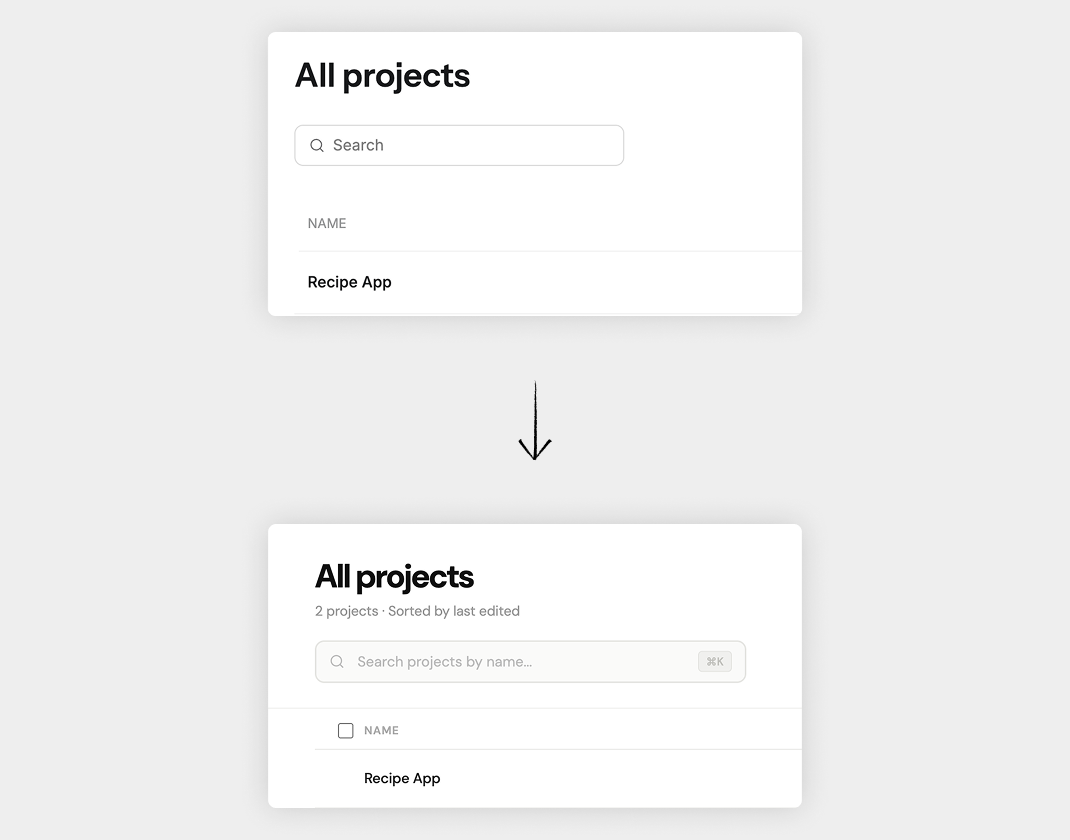
Scalable searchImage
GAP
DIV
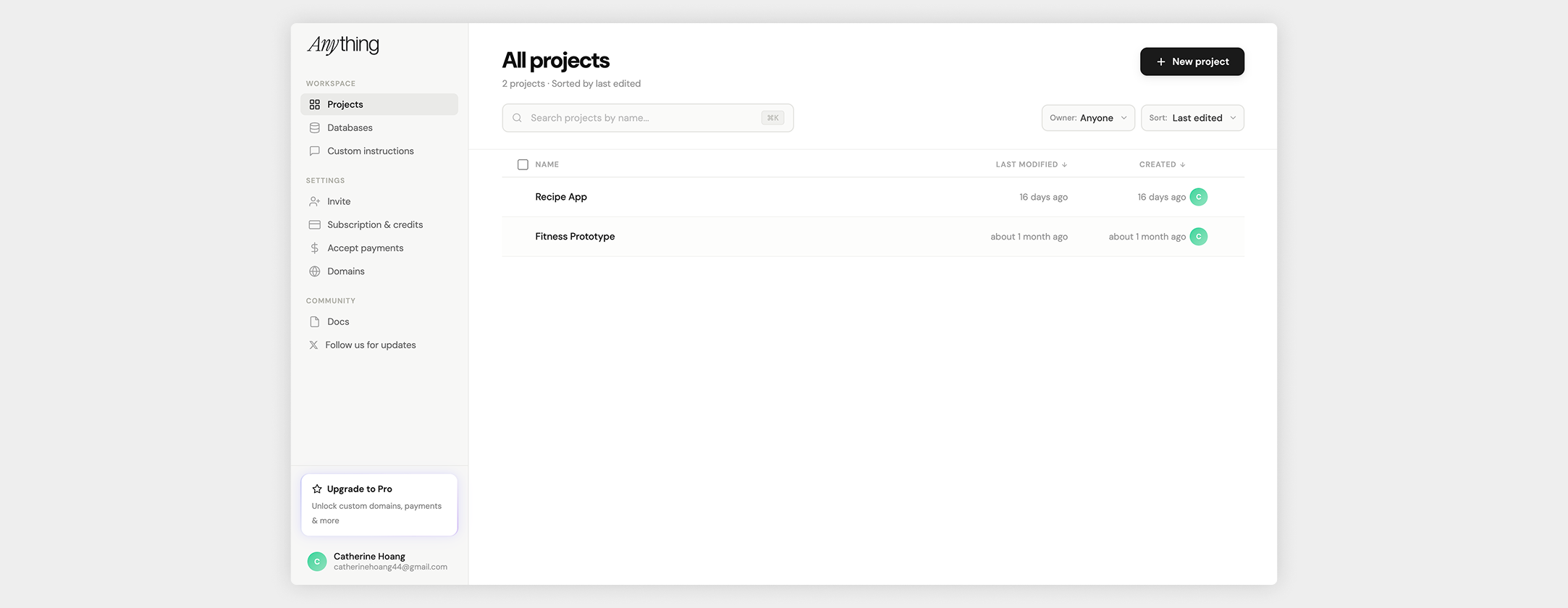
Updated project dashboard designImage
GAP
DIV
Information Overload...Again
Before: Editing Project
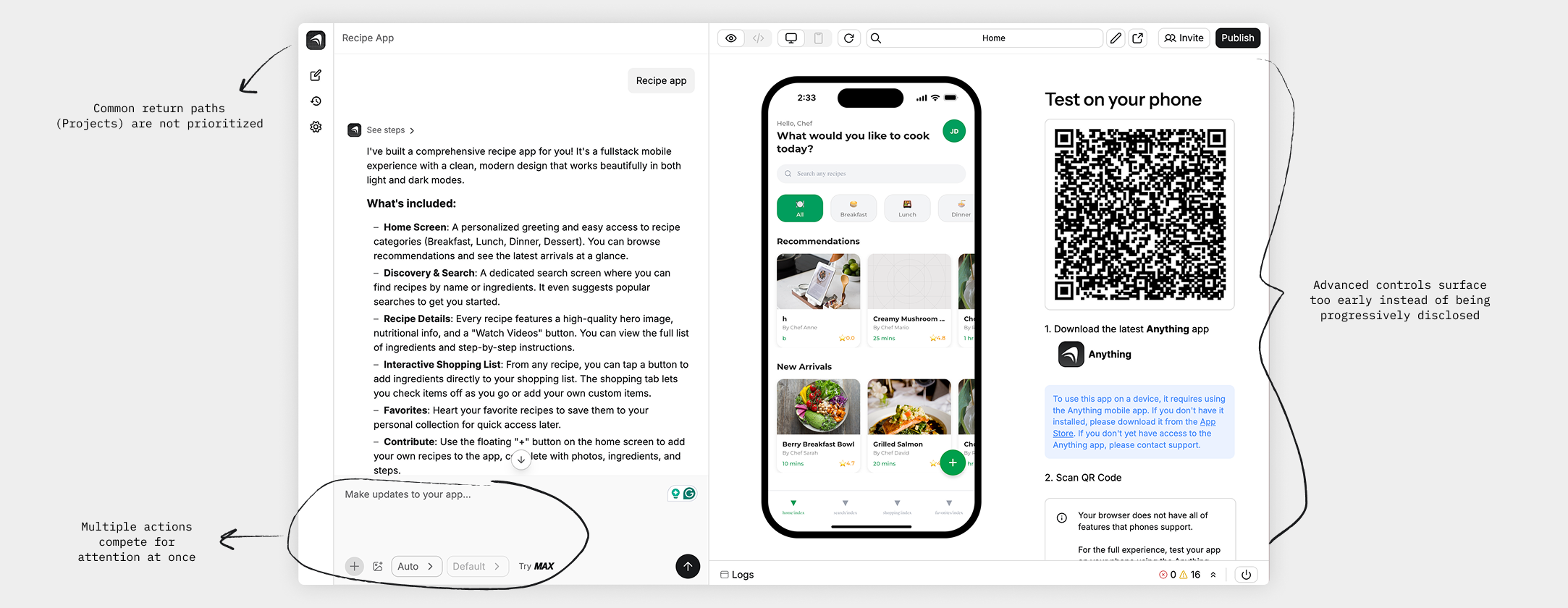
Multiple actions compete for attentionImage
GAP
DIV
Information Hierarchy
After: Editing Project
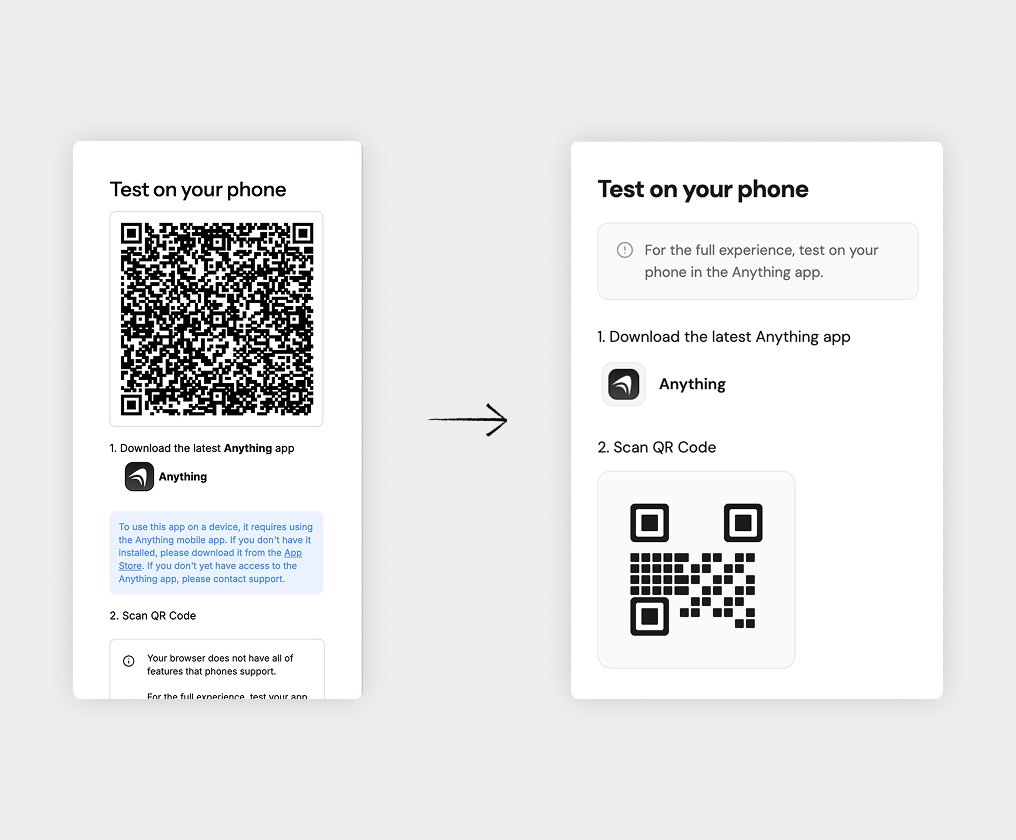
Clear next steps shown after 3rd promptImage
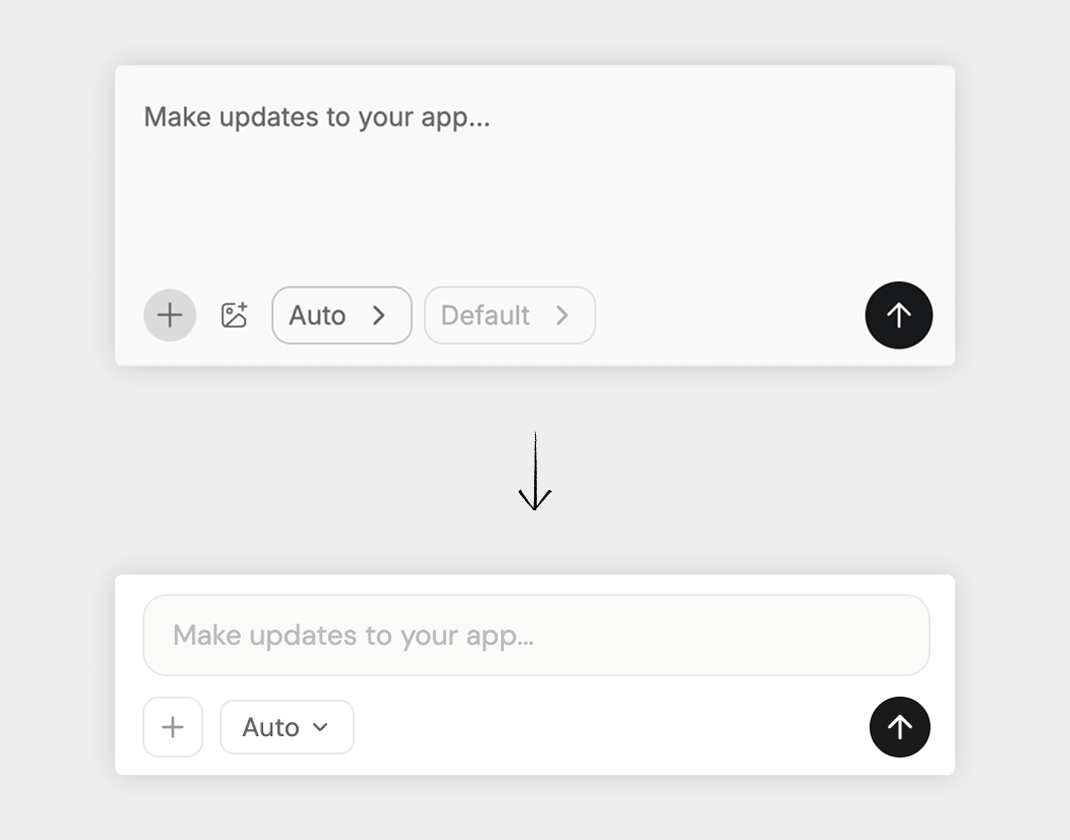
Reduce decision fatigue while keeping featuresImage
GAP
DIV
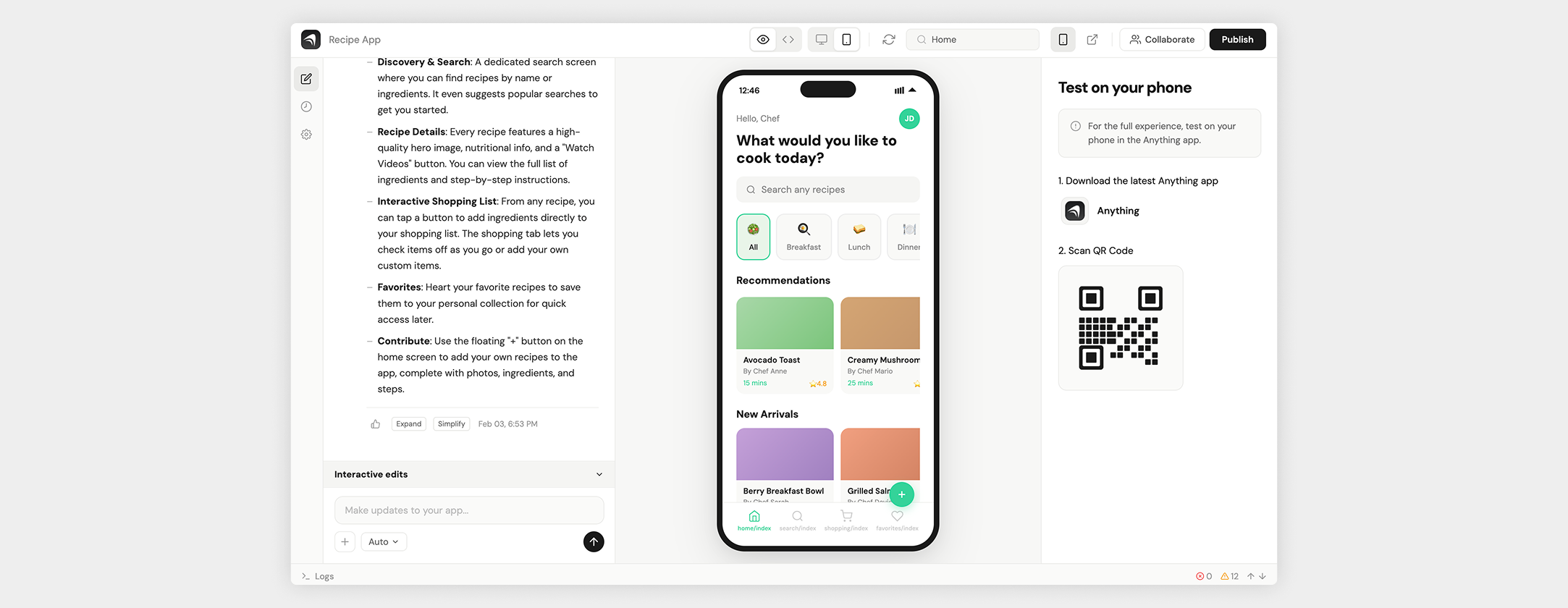
Interface prioritizes chat outputImage
GAP
DIV
Final Design
Build Anything Interaction
Video
GAP